An estate on Tenantify is the parent record for a property. Before you can add a unit, invite a tenant, or collect rent, you need one in place.
First time on Tenantify? You can do this step inside the first-time setup wizard instead of from the dashboard. This guide is the standalone reference for adding a second estate later, after the wizard has run.
Who this is for
Landlords who finished registration and see an empty dashboard. Whether you own a single duplex in Gbagada or a twelve-unit block in Lekki Phase 1, you start the same way.
What you’ll get done
One estate created, a status of DRAFT, and the option to start adding units the moment you click save.
Before you start
- Your property’s full address, including LGA and state.
- The total number of units at the property. Count every unit, even the ones still under renovation.
- A contact line (email and phone) for estate-wide issues. This can be you, a spouse, a caretaker, or a dedicated property manager.
Steps
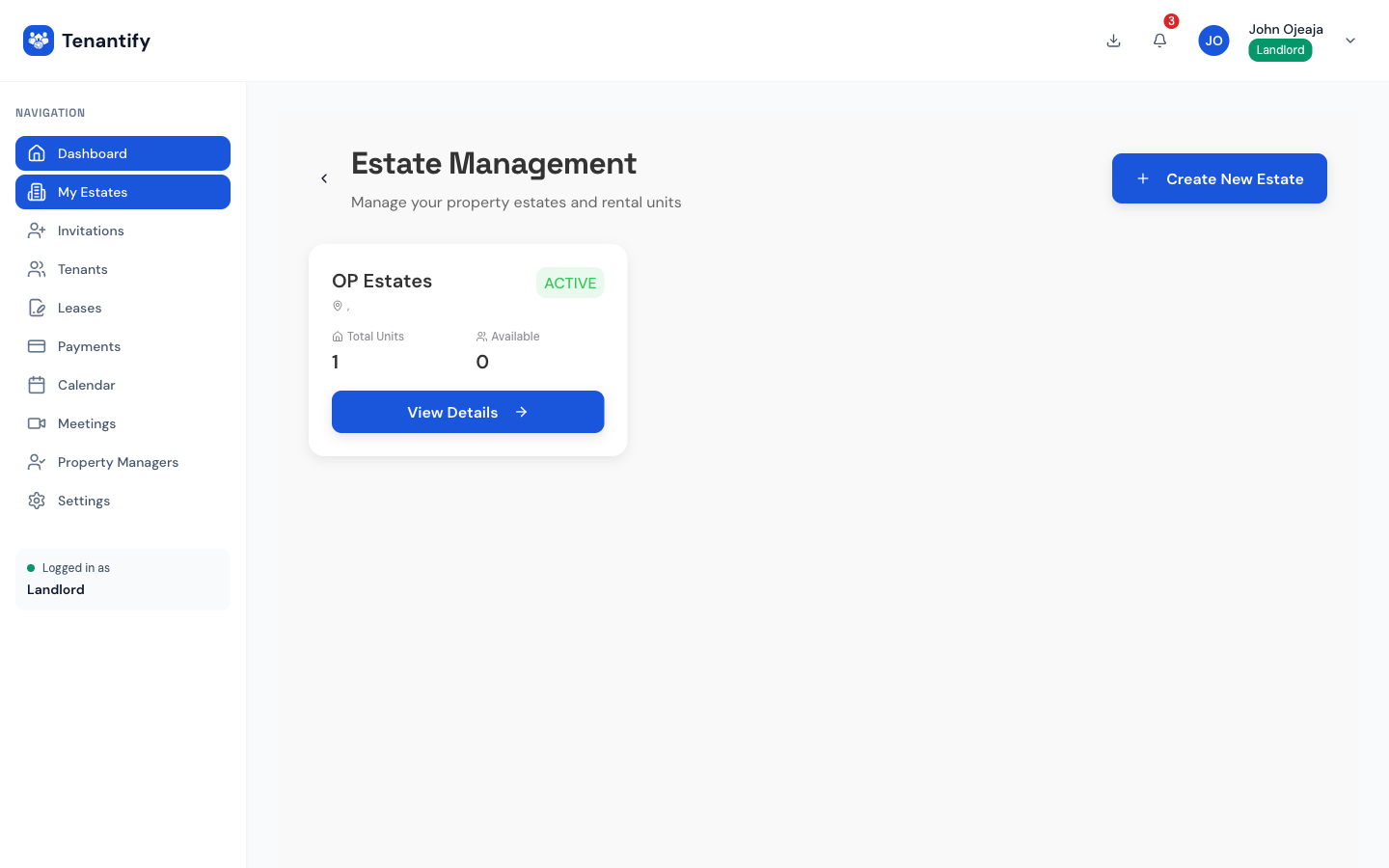
1. Open the Estates page
Click Estates in the sidebar on desktop, or tap Properties in the bottom nav on your phone. A first-time visit shows one large Create estate button in the centre of an otherwise empty list.
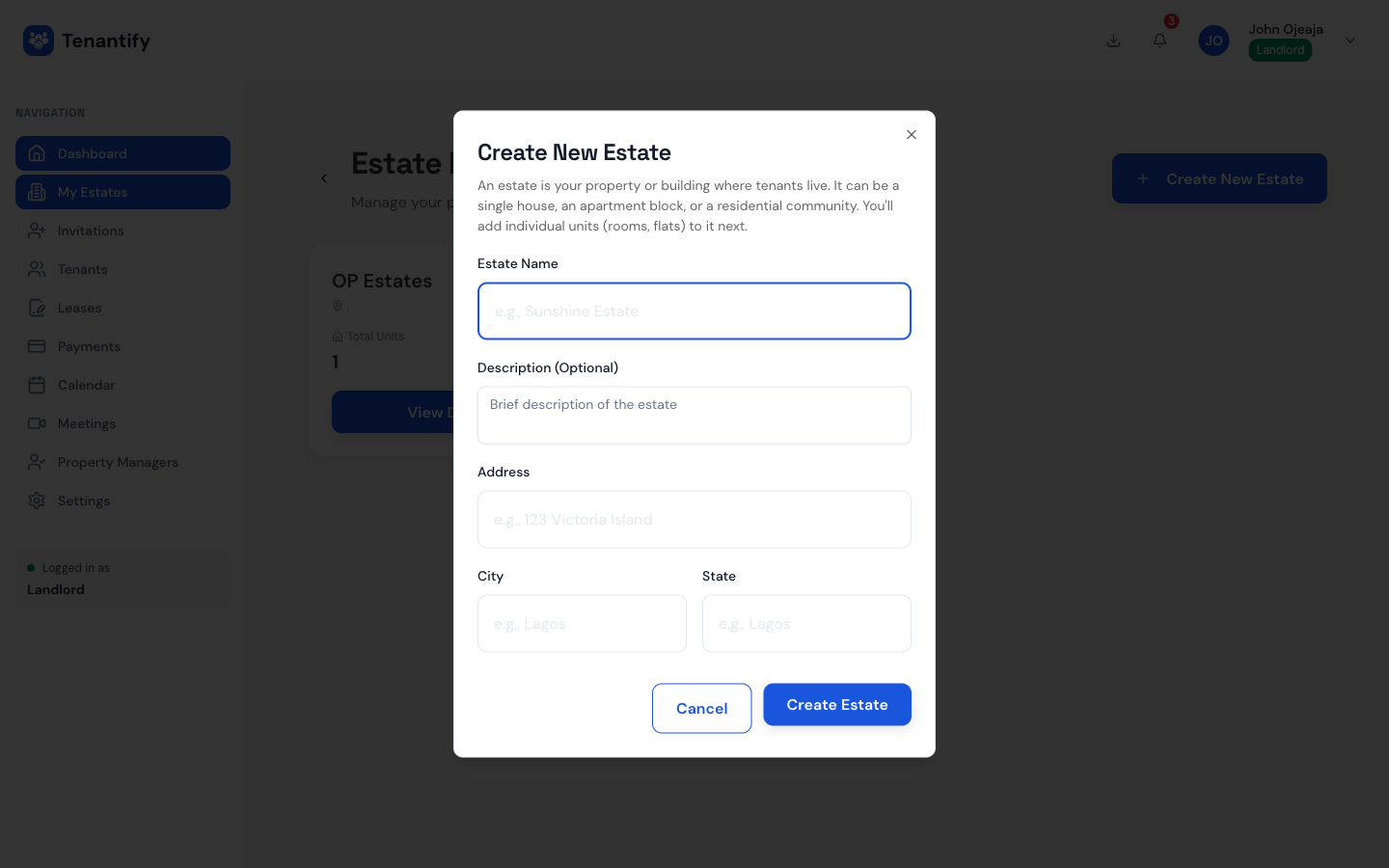
2. Name the estate
Give the estate a short, memorable name. “Adeyemi Court”, “Plot 14 Admiralty Way”, or plainly “My Lekki Flats” all work. This name appears on every receipt, lease, and notification your tenants receive, so keep it simple and accurate.
Add a one-line description if you manage several properties with similar names. Skip it otherwise.
Enter the total number of units at the property. You can adjust the count later if your block expands.
3. Enter the address
Nigerian addresses rarely follow a single format. Tenantify breaks the address into separate fields so your receipts stay clean and your tax records stay legible:
- Street address. For example, 14 Admiralty Way.
- City. Lekki, Ikeja, Ikoyi, or wherever the property sits.
- LGA. The Local Government Area. Eti-Osa, Ikeja, Alimosho, and so on.
- State. Pick from all 36 states plus the FCT.
- Postal code. Optional. Most Lagos estates leave it blank.
4. Tick the amenities that apply
Optional but worth the thirty seconds. Tick any amenities that apply to the whole property: twenty-four-hour security, borehole water, solar backup, generator, swimming pool, parking.
These show on tenant receipts and help justify service charges if a dispute ever reaches the Lagos State Rent Tribunal.
5. Add an estate-level contact
Enter a name, email, and phone for whoever handles estate-wide issues. This contact appears on tenant dashboards so they know who to reach about a burst pipe at 2 a.m.
You can always change this later if you hire a property manager or change caretakers.
6. Review and create
The last screen summarises everything. Double-check the state and LGA before submitting. These two fields feed into your landlord tax classification and cannot be silently edited later without regenerating lease documents.
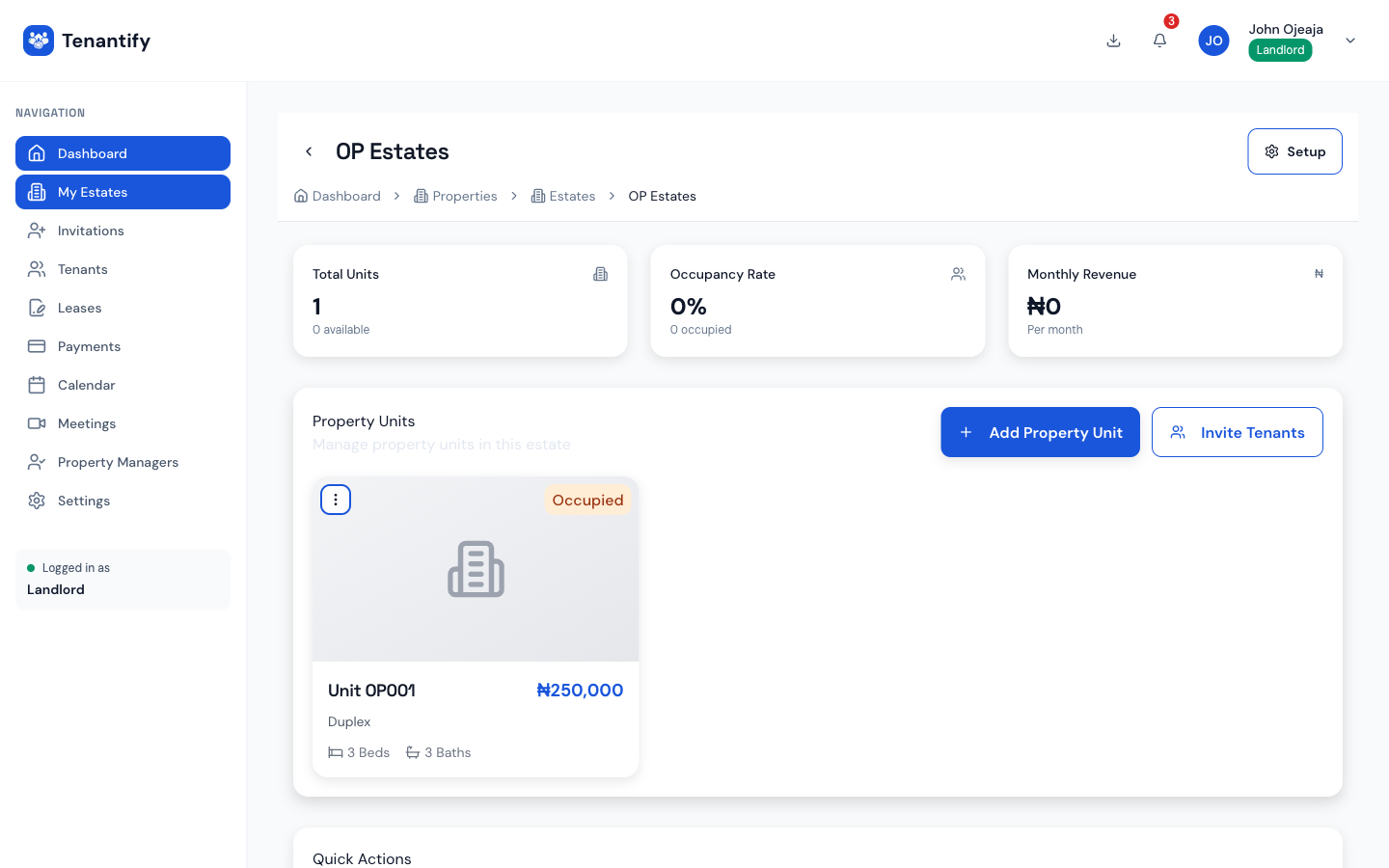
Click Create estate. A confirmation toast appears and you land on the estate’s detail page.
Understanding the DRAFT status
A fresh estate sits in DRAFT because it has no units yet and no tenants. The status flips to active automatically the moment you invite your first tenant. You do not need to click anything to activate it.
Why Tenantify works this way: a landlord can set up four or five estates over a weekend and onboard tenants to each one gradually, without ghost invoices showing up while the block is still empty.
If something goes wrong
“Unable to save” on submit. Usually a network hiccup. Your form data is held locally, so wait a moment and retry. If the error persists for more than a minute, check your internet connection.
The state drop-down is missing my state. All thirty-six states plus the FCT are listed. If you manage property abroad, Tenantify is currently Nigeria-only.
“Estate name already taken.” Estate names are unique per landlord account. Add a suffix that distinguishes it: “Adeyemi Court, Lekki” and “Adeyemi Court, Ikeja” is a clean pattern if you have two properties with the same name.
Postal code was rejected. The field accepts Nigerian postal codes or empty values. If you’re unsure, leave it blank.
What’s next
With the estate in place, continue to Adding Property Units. Each unit carries its own rent amount, service charge, and lease, so it’s worth setting them up carefully before inviting any tenant.