
Before you collect a single naira of rent through Tenantify, you need an account. About ten minutes from now, you’ll be looking at a dashboard ready to list your first estate.
Who this is for
Property owners in Nigeria registering with Tenantify for the first time. Whether you own one flat off Admiralty Way or a twelve-unit block in Ogba, the steps are identical.
What you’ll get done
A verified landlord account. A dashboard that recognises you. A clear picture of the four milestones that follow, so tomorrow’s work plans itself.
Before you start
Have three things within reach:
- An email address you can open today. Tenantify sends a verification link, and the link expires in 24 hours.
- A Nigerian phone number. Tenantify accepts
+2348012345678,2348012345678, or08012345678. - A password that clears the bar: at least eight characters, with one uppercase letter, one lowercase, one number, and one special character.
You do not need bank details, property documents, or anything else today. Save those for later milestones.
Steps
1. Open the sign-up page
Visit tenantify.app and click Start Free in the top-right corner. Only landlords can self-register; tenants and property managers join through an invitation from a landlord they already work with.
2. Fill the sign-up form
Enter your full name, email, and phone number. Type your password twice to confirm it. Your role defaults to Landlord; leave it.
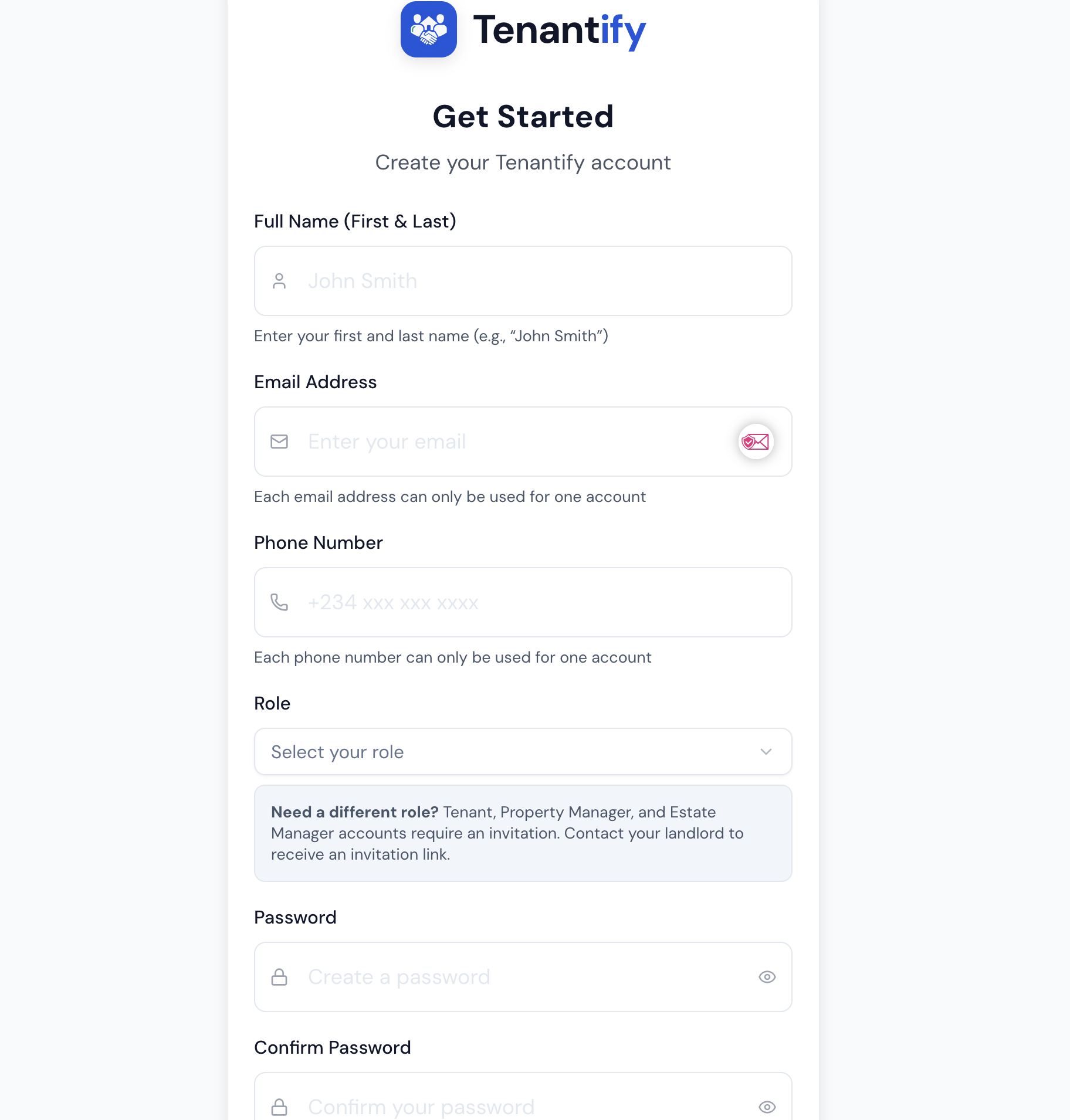
Submit the form when every field turns green. You’ll land on a confirmation screen asking you to check your inbox.
3. Verify your email
Open the verification message from Tenantify and click the link inside. The link is unique to your account and expires in 24 hours.
Without this step, you can sign in but cannot create estates or receive payments. Treat verification as part of sign-up, not something you can skip.
4. Log in
Return to tenantify.app/auth/login, enter your email and password, and sign in.
5. Meet your empty-state Properties workspace
You land on the Properties page with one instruction: create your first estate. Every new landlord lands here. The screen is stripped to a single next step on purpose.
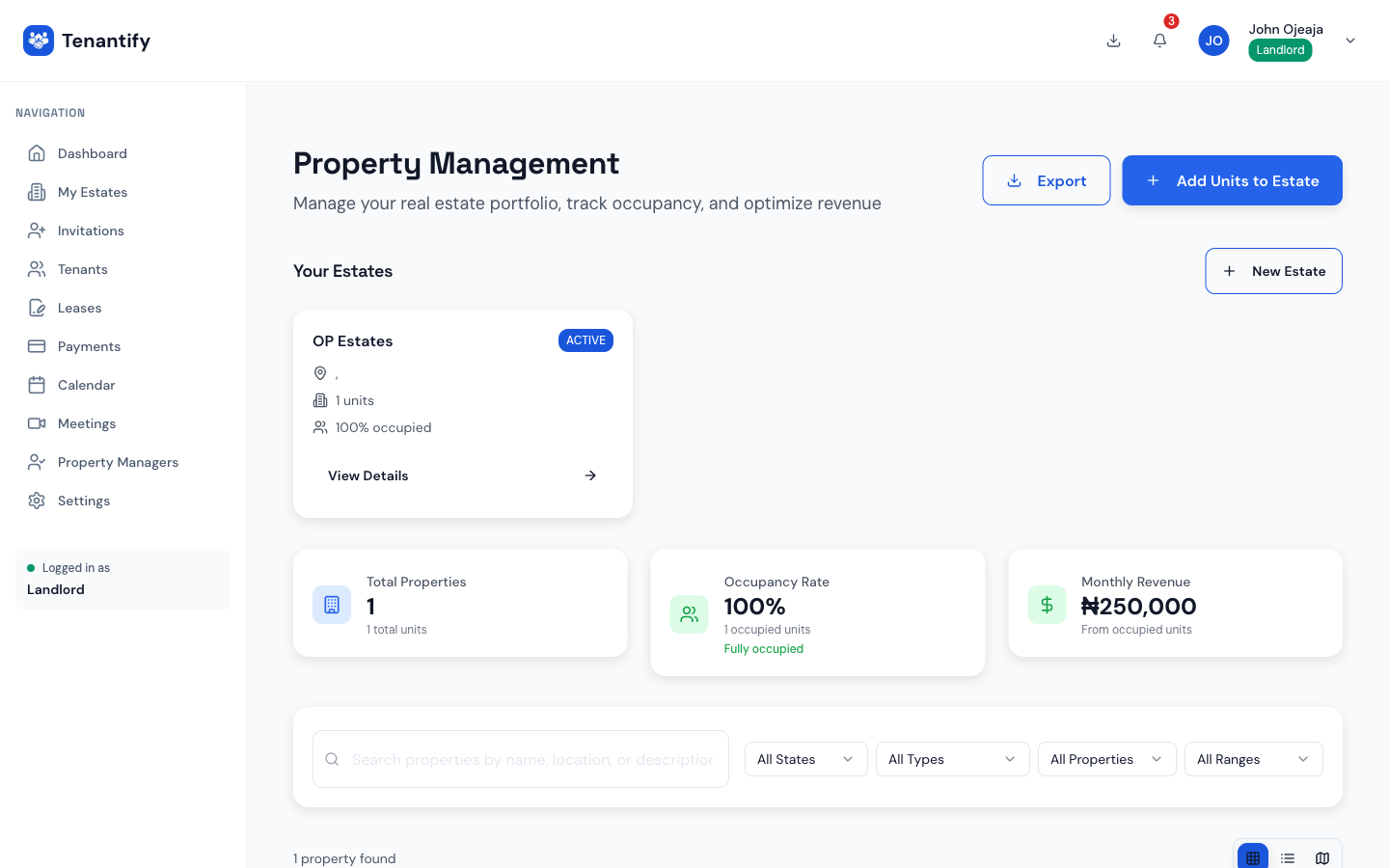
6. Click Create Estate to start the setup wizard
The empty-state Properties page has one button: Create Estate. Click it and Tenantify routes you to a guided wizard at /onboarding/setup that walks you through your first estate, your first units, and your first tenant invite without you needing to navigate the dashboard yourself. See Your First-Time Setup Wizard for the phase-by-phase walkthrough — what to enter, what the wizard does on the back end, and what happens when you click Go to Dashboard at the end.
You now have a live Tenantify account. From here, the path to collecting your first rent has four milestones, and the wizard handles the first three of them.
The four milestones ahead
| # | Milestone | Time needed |
|---|---|---|
| 1 | Create an estate (the container for your units) | Five minutes |
| 2 | Add property units to it | Three minutes per unit |
| 3 | Invite your first tenant | Two minutes |
| 4 | Set up Paystack for payouts | Ten minutes plus a bank authorisation letter |
None of these steps require a desk. The dashboard runs on your phone with the same flow.
If something goes wrong
The verification email did not arrive. Check your spam and promotions folders first. If nothing shows within five minutes, click Resend verification email on the confirmation screen. If the button is missing, sign out and request a fresh link from the login page.
Tenantify rejected your password as too weak. Re-read the four rules: length, one uppercase letter, one lowercase letter, one number, one special character. Avoid single dictionary words, and avoid any password you already use on a banking app.
“Email already in use.” You may have signed up previously and forgotten. Instead of creating a second account, click Forgot password? on the login page. If the reset email also goes to a dead inbox, write to [email protected] with the address you used and the team will help you recover it without exposing any account details.
Your phone number was rejected. Tenantify accepts Nigerian numbers only: +2348012345678, 2348012345678, or 08012345678. Remove any spaces or hyphens. If you live abroad with a UK or US number, use your Nigerian SIM here. Your tenants expect a Nigerian contact line anyway.
What’s next
Continue straight to Creating Your First Estate. The estate is the container for every unit, tenant, lease, and payment you handle on Tenantify, and most landlords finish that step in five minutes.