
A property manager on Tenantify operates inside a trust framework you define per estate. Not a blanket admin with the keys to your whole account, but a colleague who can do exactly the tasks you grant, on exactly the estates you grant them on.
Who this is for
Landlords with more than one estate, landlords living abroad, or landlords who simply want to stop fielding maintenance calls on Sunday afternoons.
What you’ll get done
A property manager invited, granted specific permissions per estate, and (optionally) set up on a commission structure.
Before you start
- The property manager’s full name and email.
- A clear decision on which permissions to grant them on each estate.
- Optional: a commission percentage, frequency, and any flat-rate compensation.
The nine permissions
Property manager permissions are per-estate, not global. That means the same manager can have full access on one estate and tenant-invites-only on another.
| Flag | What it allows |
|---|---|
can_create_units | Add new units to the estate |
can_invite_tenants | Send tenant invitations and assign tenants to units |
can_set_tenancy_terms | Define lease duration, rent, and deposit |
can_modify_service_charges | Adjust service charges and late-payment penalties |
can_add_agency_fee | Charge one-off agency fees on new tenant assignments |
can_approve_maintenance | Approve or reject maintenance requests from tenants |
can_manage_documents | Upload and manage estate documents |
can_view_financials | View payment summaries and financial reports |
can_schedule_inspections | Schedule property inspections and viewings |
A professional property manager typically gets most permissions on every estate you hand over. A family member helping out might get only can_invite_tenants and can_set_tenancy_terms.
Steps
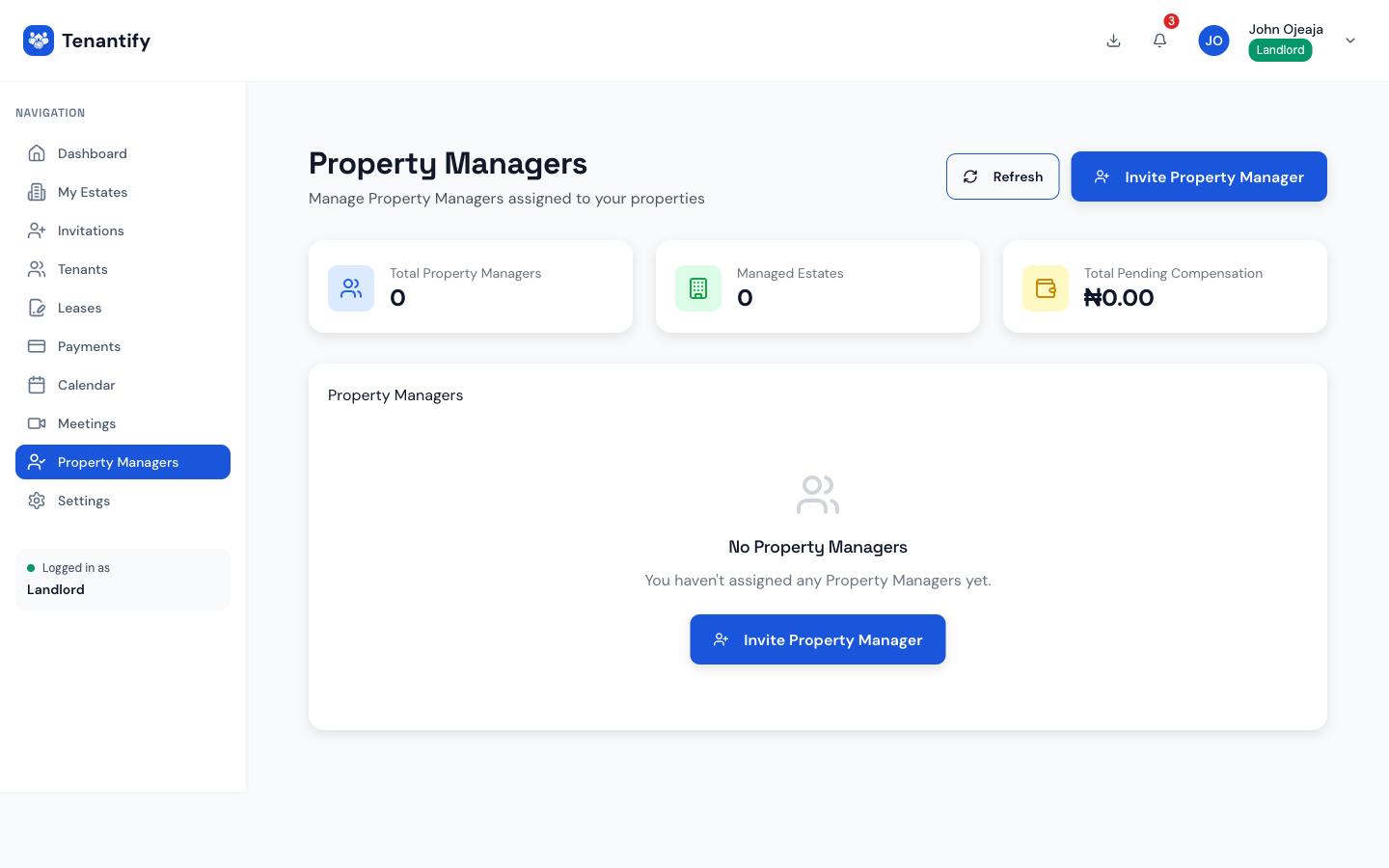
1. Open the Property Managers page
Click Property Managers in the sidebar. A first-time visit shows an empty state with an Invite property manager button in the centre.
2. Enter the manager’s identity
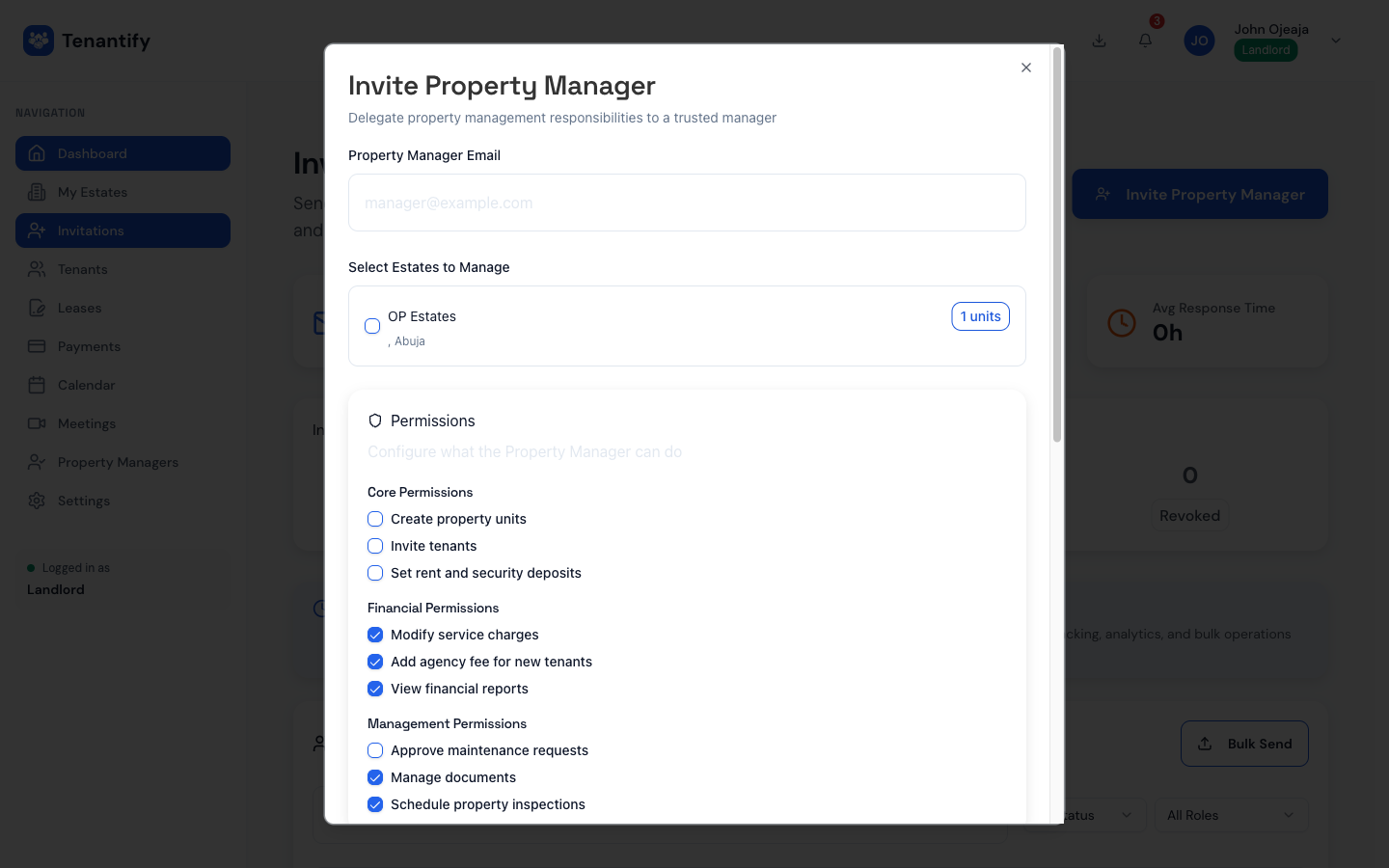
Fill the basic fields:
- Email. Where the invitation lands.
- First name and last name. Appears on the invitation and on any lease documents they later sign on your behalf.
- Personal message. Optional note to reassure the manager this isn’t phishing.
3. Choose the estates
A multi-select shows every estate you own. Tick each estate this manager will handle. If you later add a new estate, you can either grant access at that point or return to the manager’s profile and add it.
4. Configure permissions per estate
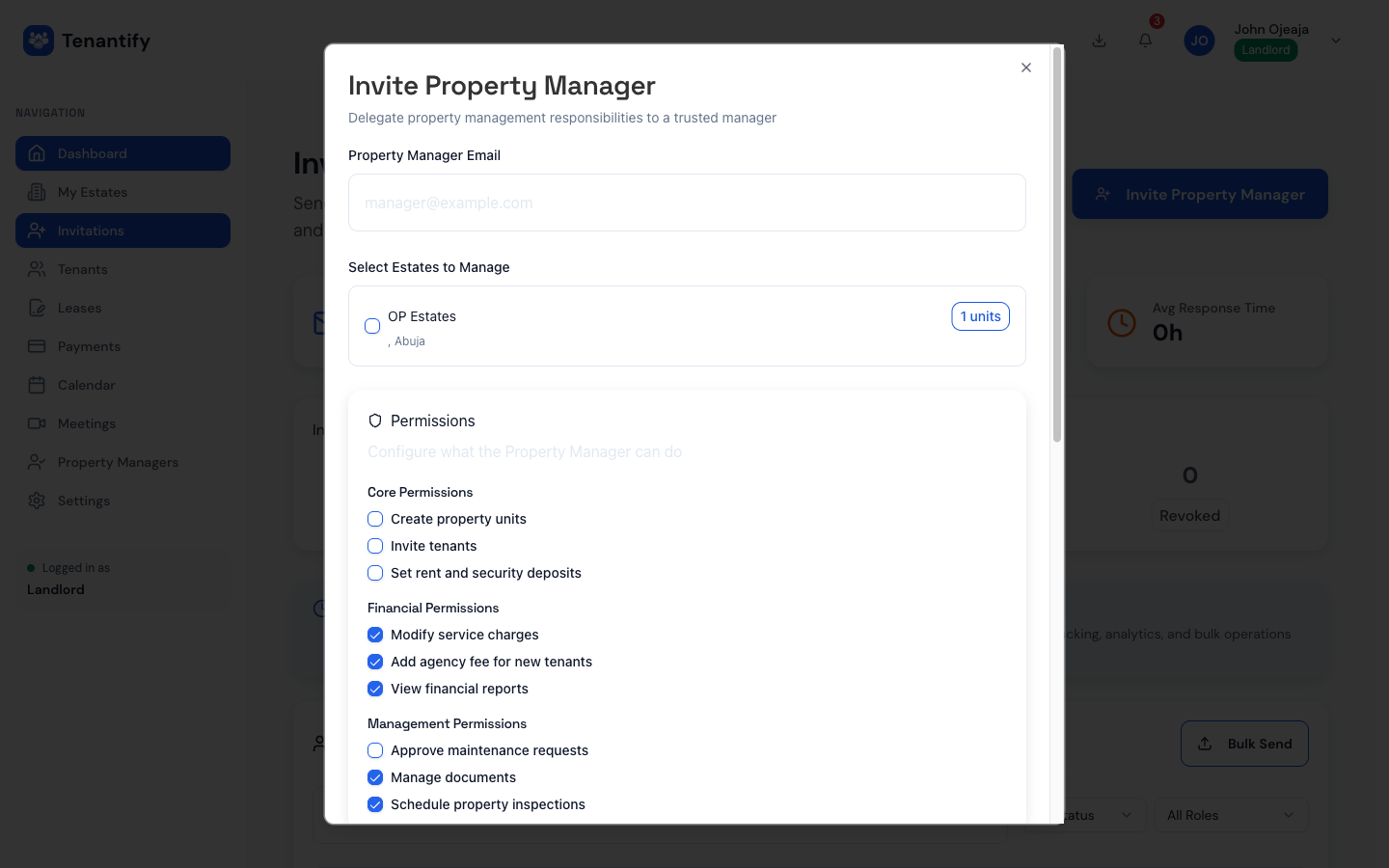
For each selected estate, a row shows the nine permission toggles. The defaults are:
can_create_units: offcan_invite_tenants: offcan_set_tenancy_terms: offcan_modify_service_charges: oncan_add_agency_fee: oncan_approve_maintenance: offcan_manage_documents: oncan_view_financials: oncan_schedule_inspections: on
Adjust per estate. You can hand full control of one estate while keeping tight oversight on another.
5. Set commission (optional)
If your manager is paid on commission, tick Set commission structure and fill:
- Commission percentage. Applied to new-tenant rent. Five to ten per cent is common in Lagos.
- Applies to new tenants only. Toggle.
- Fixed compensation. For flat-rate caretakers.
- Frequency. Monthly, quarterly, or annually.
Tenantify tracks commission earned across every tenant the manager onboards and shows it on their dashboard.
Leave the section blank if you pay your manager off-platform.
6. Send the invitation
Click Send. The manager receives an email with an Accept invitation link valid for seven days. They register with a first name, last name, Nigerian phone number, and password. Their dashboard scopes automatically to the estates you delegated.
Your list now shows them with status INVITED, changing to ACTIVE once they accept.
Screenshot coming soon
Step 6: Property Manager list with INVITED and ACTIVE rows
7. Review their activity
Every action your manager performs writes an entry to an audit trail visible on their profile page. Invited a tenant, changed a service charge, added an agency fee: it’s all there with a timestamp. The audit is visible to you only, and your manager cannot edit it.
Nigerian landlord-manager disputes frequently hinge on who approved what. Keep this tab open when something goes wrong.
Changing permissions later
Go to the manager’s profile, open the permissions section, and edit the toggles. Changes take effect immediately. To remove a manager entirely, use Remove access. Their account remains, but they can no longer see your estates.
If something goes wrong
Manager says “invitation expired”. Invitations are valid for seven days. You will need to send a new invitation from the Property Managers page.
Manager can’t invite tenants. You haven’t granted can_invite_tenants for that estate. Toggle it on.
Manager sees estates they shouldn’t. Open their profile and check the estate multi-select. Untick any estate you didn’t mean to grant and save.
Commission not appearing. Commissions accrue against Paystack payments. If your subaccount isn’t active yet, no payment has collected, so nothing is due.
What’s next
Your property manager will need their own guide. Forward them Accepting a Landlord’s Invitation.